


--By Jay Farlow, W9LW
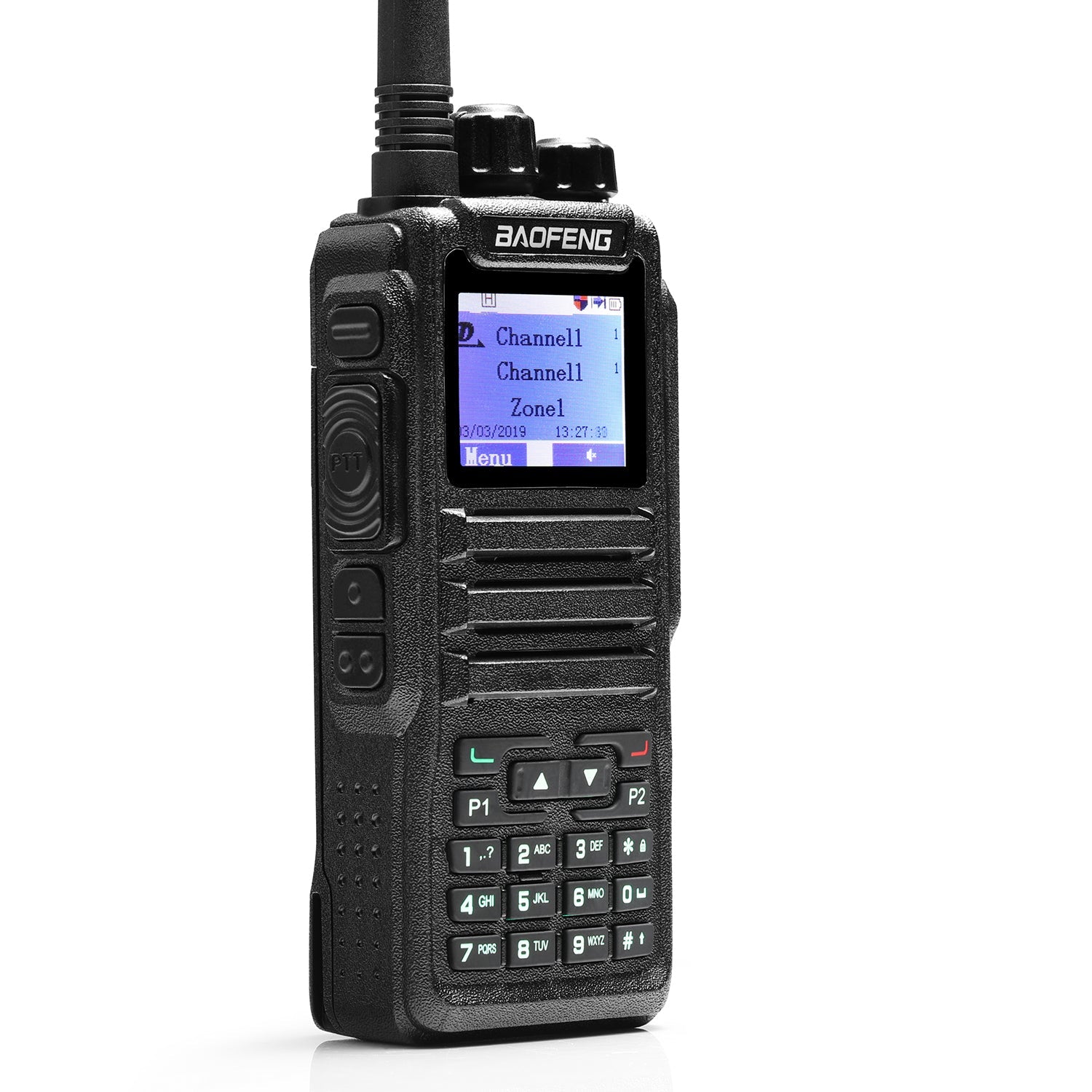
The Baofeng DM-32UV handheld transceiver can transmit its location via the Automatic Packet Reporting System (APRS). APRS is a tactical, real-time information sharing and communications system that provides situational and spatial awareness of a user’s immediate local area.
Background
Originally, radios sent and received APRS data via audio frequency shift
keying (AFSK) using AX.25 packet radio on FM simplex channels. That remains the
most common way to send and receive APRS data, but other methods exist as well.
One method uses the short message service (SMS), also known as text messaging,
that many DMR radios support. The DM-32UV can transmit APRS data via DMR SMS,
but not via FM AFSK.
For many users, the main goal of sending APRS data via DMR SMS is to get the
data into the APRS Internet System (APRS-IS), which is a global network of
servers connected via the internet. Once data reaches the APRS-IS, it is visible
on mapping websites such as https://aprs.fi/ and can optionally be transmitted
on FM AFSK by an APRS IGate, which is an amateur radio station that acts as a
gateway between the APRS-IS and a local FM AFSK frequency.
Sending APRS data from a DM-32UV to the APRS-IS requires more than the radio.
The radio must be within range of a DMR repeater or DMR hotspot that supports
DMR SMS. In addition, that repeater or hotspot must be connected to a network
that provides a gateway to the APRS-IS. Not all DMR repeaters support SMS and
not all repeaters that support SMS are connected to networks that have gateways
to the APRS-IS. It is therefore possible that no one will see APRS data sent by
a DM-32UV, even if it is configured properly for APRS transmission.
The worldwide BrandMeister DMR network (one of several disparate networks to
which a repeater or hotspot can link) supports SMS and provides an SMS gateway
to the APRS-IS. This blog will focus on setting up APRS transmission via the
BrandMeister network. It is important to remember, however, that not every
repeater that is connected to a BrandMeister server supports DMR SMS. Some
models of Motorola DMR repeaters, for example, do not support SMS. Those
repeaters therefore do not support APRS, even when they are connected to
BrandMeister servers. Users who are in range of DMR repeaters that are connected
to any server other than a BrandMeister server must learn on their own whether
those repeaters support APRS via DMR SMS and if so, how they must configure
their radios.
The following instructions are based on DM-32UV customer programming software (CPS) version 1.45, the latest official version that was available on the Baofeng website when the author wrote this blog post. These instructions also assume that the reader has already followed the guidance contained in previous posts in this series to enable communication through a nearby DMR repeater or hotspot.
Enable GPS
A key part of an APRS transmission is the exact location of the transmitter.
Fortunately, the DM-32UV has a built-in GPS receiver that can provide this
position data. In the left-hand column of the CPS, click on “Option Feature” and
then on the GPS tab in the dialog box that appears. If the GPS Switch check box
is not already checked, check it. Set GPS Mode to the user’s preference. The
author has had success with “GPS+BDS.” This enables the radio to receive
position information from satellites of both US Global Positioning System and
the China BeiDou Navigation Satellite System. Set the time zone for your
location. This enables satellite data to update the radio’s clock. The author
left Measure Period Interval(s) set to “5” and GPS Display Format set to
“Degree.” See Figure 1, below. 
Figure 1
Adding these settings to the codeplug will enable GPS position reception after the CPS writes the codeplug to the radio.
SMS Configuration
On the Optional Features dialog box, click the Digital tab. On that tab, the author had success setting SMS Format to “M-SMS.” This required a corresponding setting on the BrandMeister website, as described under “BrandMeister Server Configuration,” below. See Figure 2, below. 
Figure 2
APRS Profile
In the left-hand column of the CPS, click on APRS. Configure the settings in
the APRS dialog box as follows:

Figure 3
Channel Configuration
To enable the radio to send APRS beacons, configure at least one channel for APRS. The radio will transmit APRS data only when it is set to a channel that includes the settings below. When Report Channel 1 is set to “Current Channel” in the APRS profile (as above), enable APRS only on channels associated with DMR repeaters that support APRS via DMR SMS. Figure 4, below, shows a channel configuration for a BrandMeister repeater that is local to the author. 
Figure 4
After all the settings described above are complete, write the save the revised codeplug to the computer and write it to the radio.
BrandMeister Server Configuration
Create an account on the BrandMeister website if you do not already have one. To do so, click on the Register link on the top of the BrandMeister home page, brandmeister.network. In the process of creating the account, be sure to enter the same DMR ID number that is in the radio’s codeplug.
Log into your BrandMeister account, click on your call sign at the top of the home page, and then click SelfCare in the drop-down menu. On the SelfCare web page that appears, set Brand to “Motorola,” which corresponds to the SMS Format of “M-SMS” in the radio’s codeplug.
Optionally, change the APRS Icon setting on the SelfCare page to a relevant icon. Because the DM-32UV is a portable radio, the author chose the icon that looks like a person. In the APRS Callsign field on the SelfCare page, optionally enter a call sign that includes a secondary station identification character (SSID). By convention, an SSID of “-7” indicates a handheld radio.
In addition to the radio’s GPS position, the APRS data can include any text
string entered in the APRS Text / Talker Alias field on the SelfCare page. When
sending APRS data via the BrandMeister network, this text string can be
configured only on the BrandMeister website, not from the radio keypad.
Figure 5
APRS Operation
After you have written the revised codeplug to the radio and made the necessary changes on the BrandMeister SelfCare page, set the radio to a channel on which you have enabled APRS, as described above. After your radio learns its location via its GPS receiver, it will begin transmitting that location to the repeater or hotspot associated with the channel you have selected. If the repeater or hotspot receives the data and is capable of relaying it to a BrandMeister server, you will see your APRS icon and SSID appear on the aprs.fi web page.
Receiving
The DM-32UV can receive APRS data via DMR SMS and display it, but this requires the sending station to use a configuration that will prevent the data from getting to the APRS-IS. For example, the DM-32UV will receive APRS data sent on a simplex channel either as a group call to the talk group assigned to the channel or as a private call sent to the DMR ID assigned to the DM-32UV. Figure 6 below shows how APRS data appears on the DM-32UV screen after receiving it on a DMR simplex channel.
Figure 6
The DM-32UV will not receive APRS data transmitted via audio frequency shift keying (AFSK) on FM simplex, which is the most common means of APRS data transmission.

0 comments